
Description
This guide explains how to enable Simple IP Control on a Sony Bravia.
Requirements
- Access to the settings of a Sony Bravia display
How to enable Simple IP Control on a Sony Bravia
- Open the settings of the device.
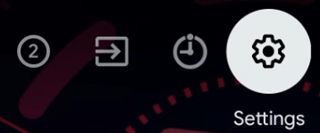
- Navigate to “Network and Internet”.

- At the bottom of the page, locate the setting called “Local network setup”.

- Inside this menu, select the option called “IP control”.

- Enable “Simple IP Control” and set “Authentication” to “None”.
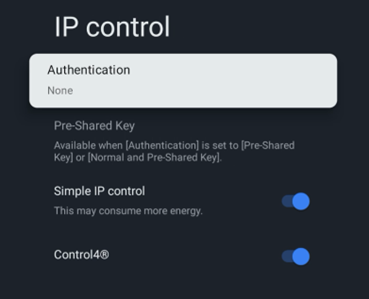
- Simple IP Control is now enabled.