
Description
In some cases, the value for the installed app version may not be removed automatically from TEOS. This guide explains how to manually remove the app version for a specific device directly from the database.
Requirements
- Sysadmin credentials for SQL Server
- Admin access to the TEOS web interface
How to remove the app version for a specific device in the database
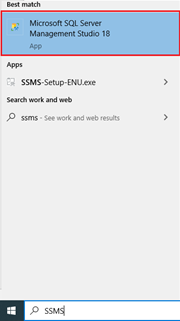
- On your desktop, click the Start menu and open SQL Server Management Studio (SSMS).
- A login window will appear. Use the following details:
Authentication: SQL Server Authentication
Login: Use the sa credentials.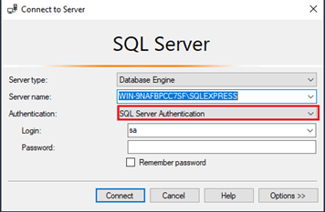
- In SQL, navigate to:
Databases > CustomerDB > Tables.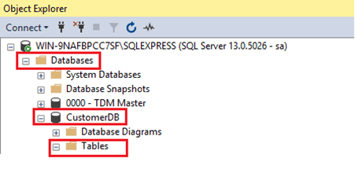
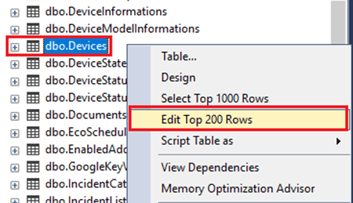
- In the Tables section, right-click dbo.Devices and select Edit Top 200 Rows.
- Locate the device you want to adjust and note down its ID. You’ll need this in the next step.

- Next, go back to the Tables section, right-click dbo.DeviceInformations, and select Edit Top 200 Rows.
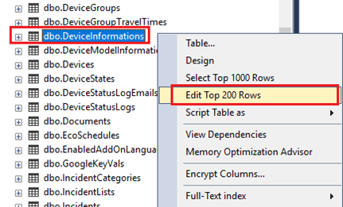
- Find the entry with the same ID as the device you identified in step 5.
Scroll right until you find the following columns:
TeosAppVersion
TeosControlVersion
TeosConnectVersion
Identify which app version you want to remove and change its value to NULL.
You have now successfully removed the app version value for the selected device.