
Description
This guide explains how to configure a Sony BRAVIA for Supervisor usage.
Requirements
- Sony BRAVIA model with Android 10 or higher
- Remote control
How to set up a BRAVIA for Supervisor
- The device should be running in ‘Pro Settings’ mode (a blue bar at the top stating ‘Pro-Settings in progress’).
If the device is not yet in ‘Pro Settings’ mode, perform the following sequence on the remote control: Info (I+) > Mute > Volume + > Home.
The device will now reboot into Pro Settings Mode.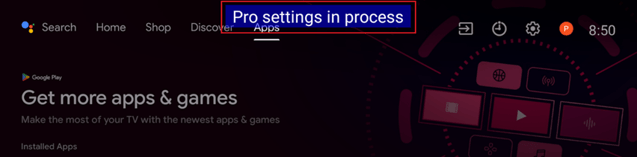
- Navigate to: Settings > Pro Settings > Startup Services
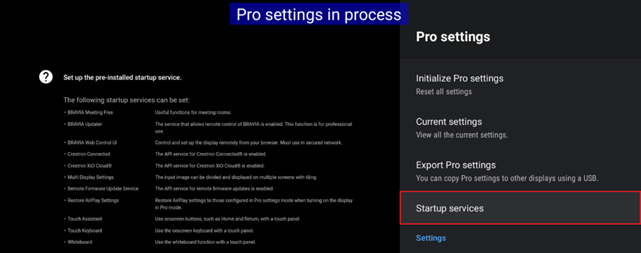
- Enable or install the following startup services:
- BRAVIA Web Control UI
- Remote Firmware Update Services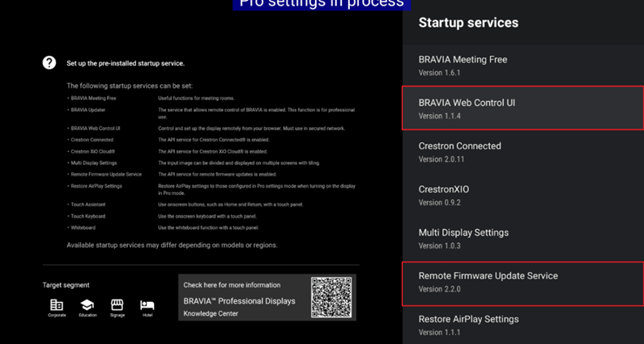
- Navigate to: Settings > Pro Settings > Admin Password.
Set the following password: sony1234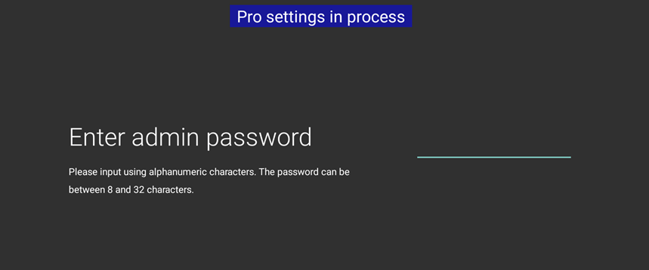
- Download the Supervisor application and copy it to the root of a USB stick.
BRAVIA Supervisor - Plug the USB stick into the BRAVIA and navigate to:
Settings > Pro Settings > Install APK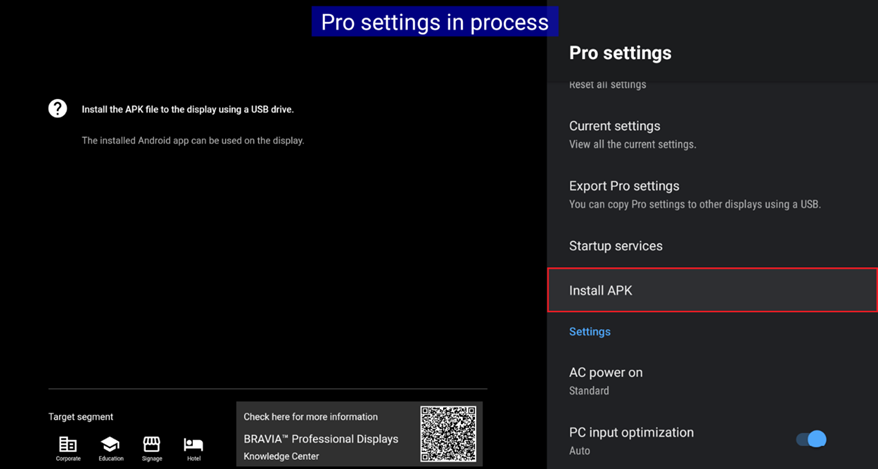
Your device is now ready. You can continue by connecting your device to your Supervisor account on lite.teos.solutions.