
Description
This guide explains how to update the licence file for your TEOS On-Premise installation.
Requirements
- Administrator access to TEOS Manage
- Manage for TEOS
How to update your licence file
- Go to the website https://teosmanage.com/
- Enter your Server Licence Key (which can be found on the first order for TEOS) and the Server ID (which can be found on the ‘Server Management’ page in your TEOS web interface).
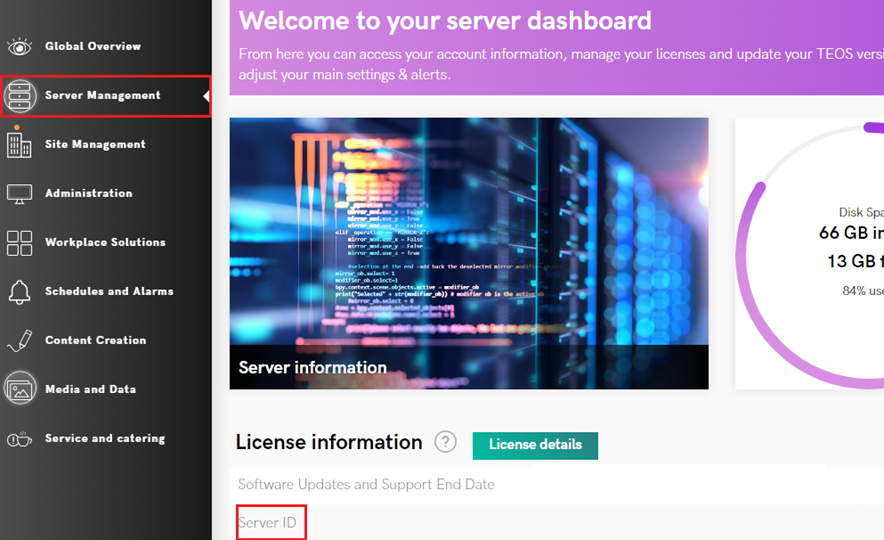
- Once your Server Licence Key and Server ID have been entered, select the option ‘Download Licence File’.

- Go to the ‘Server Management’ page in your TEOS web interface and select the ‘From Computer’ button on the right side.
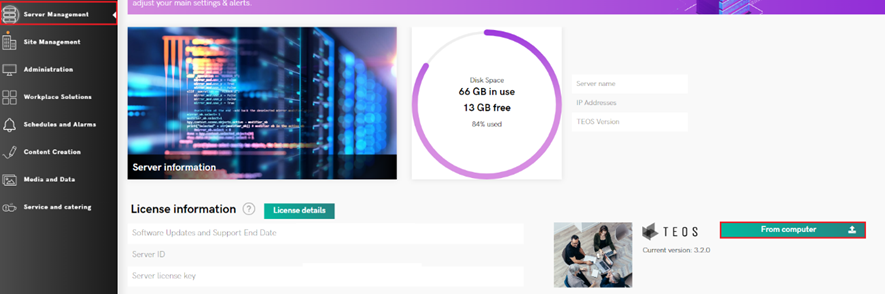
- In the window that opens, click on ‘Browse…’ and select the file you downloaded. After selecting the file, click on the ‘Upload’ button.
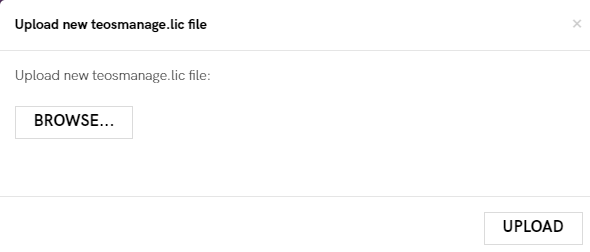
You have now successfully updated your TEOS licence file for your On-Premise installation.